

Live front / middle / back
Updated continuously as you close in on the green.
PinSheet is free. Your club sets the pins, you get the sheet — drawn, measured and updated the moment anything changes.
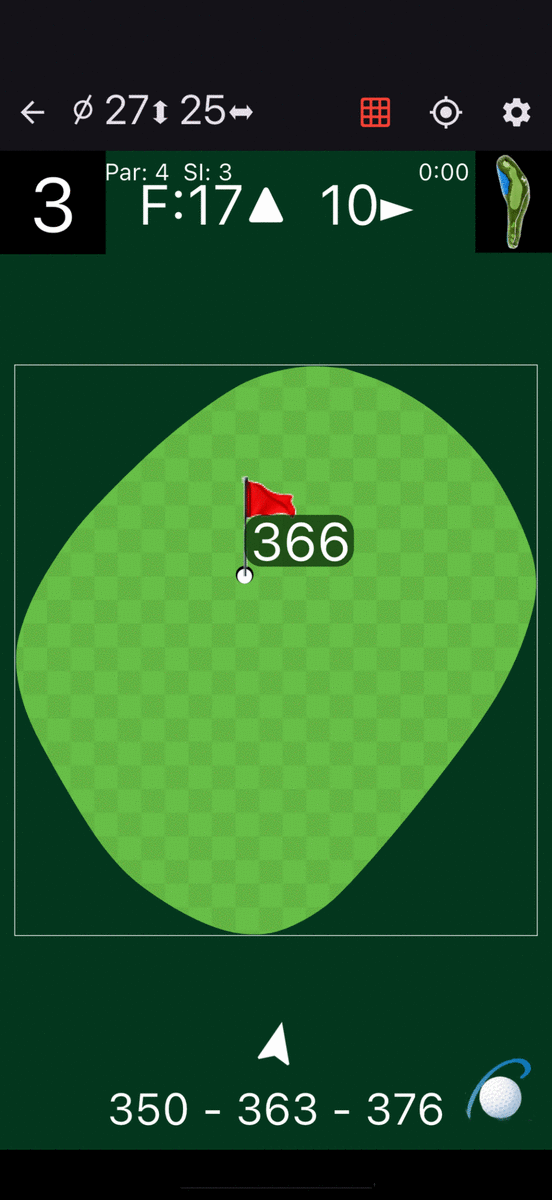
The green is drawn in its true shape and true proportions — never stretched to fill the phone, because the shape is what you read a putt from. It’s oriented as you see it walking in from the fairway, and it does not rotate.
F:17▲ means seventeen from the front, playing away from you; a ▼ means back towards you. Courses that measure from the middle read C instead. Sideways, 10► is ten in from the left edge and ◄10 is ten in from the right — the arrow points the way the measurement runs.
27↕ and 25↔ — how deep the green runs front to back, and how wide it is at its widest. Enough to know whether the back-left pin is worth the risk.
Along the bottom, 350 – 363 – 376 to the front, middle and back. On the flag itself, the carry to the pin. Walk onto the green and the strip swaps to today’s stimp reading.
Points the way you need to play to find the green, as seen coming in from the fairway. Off to the left of the hole? It points right.
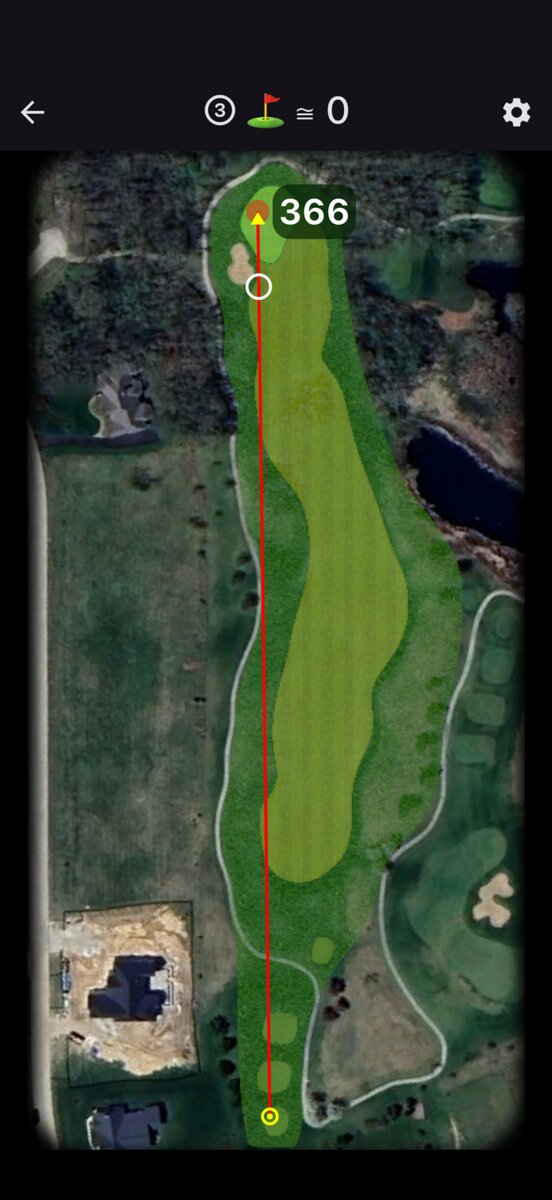 Target 366 m
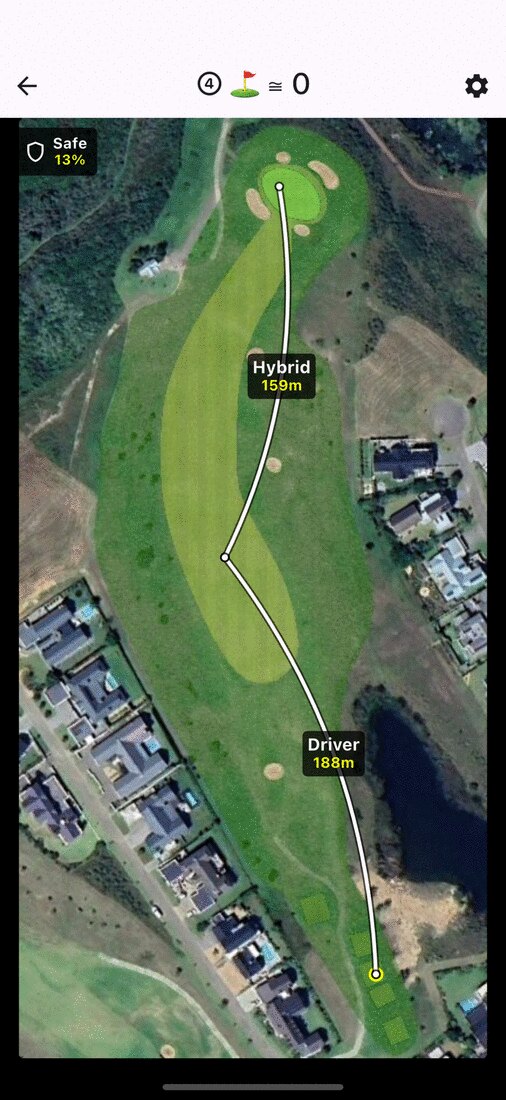
The whole hole, tee at the bottom, green at the top. Put the target anywhere and PinSheet gives you the carry from where you’re standing — and, across the top, what you’d have left to the flag from there.
That’s the “go for it or lay up” decision made with numbers instead of optimism. Carry the water at 210 and leave yourself 95? Or 170 to the corner and a full wedge? You can see both before you pull a club.
It also measures your own game: drop the target on your ball before you hit, and when you walk up to it, that’s your shot distance.
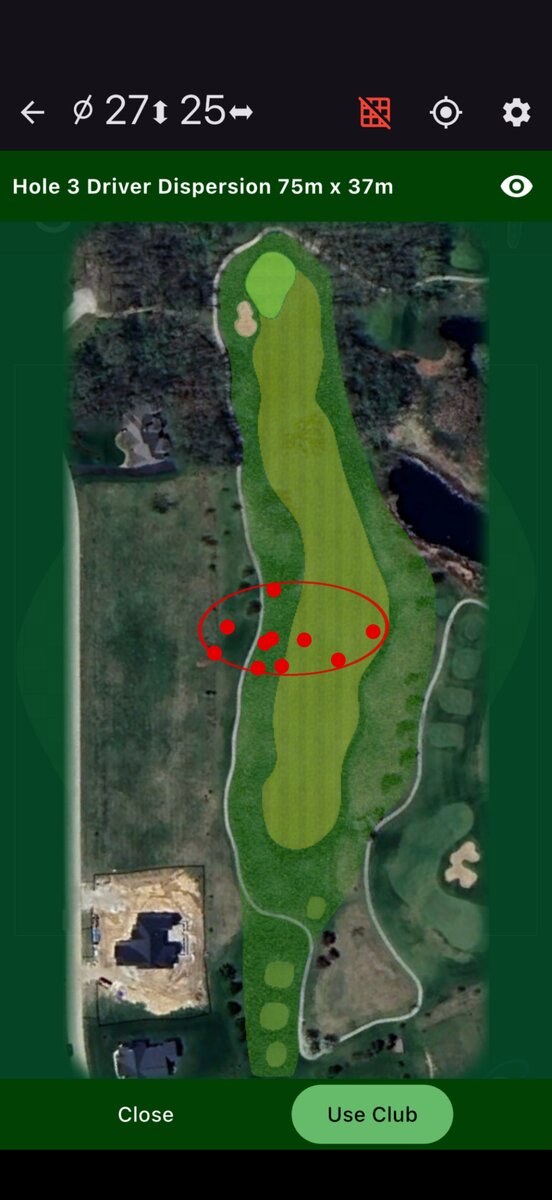
Pick a club and PinSheet draws the dispersion your own shots with it actually make, right on the hole.
Bunkers, water and the boundary are all in view, so the safe line is obvious rather than remembered.
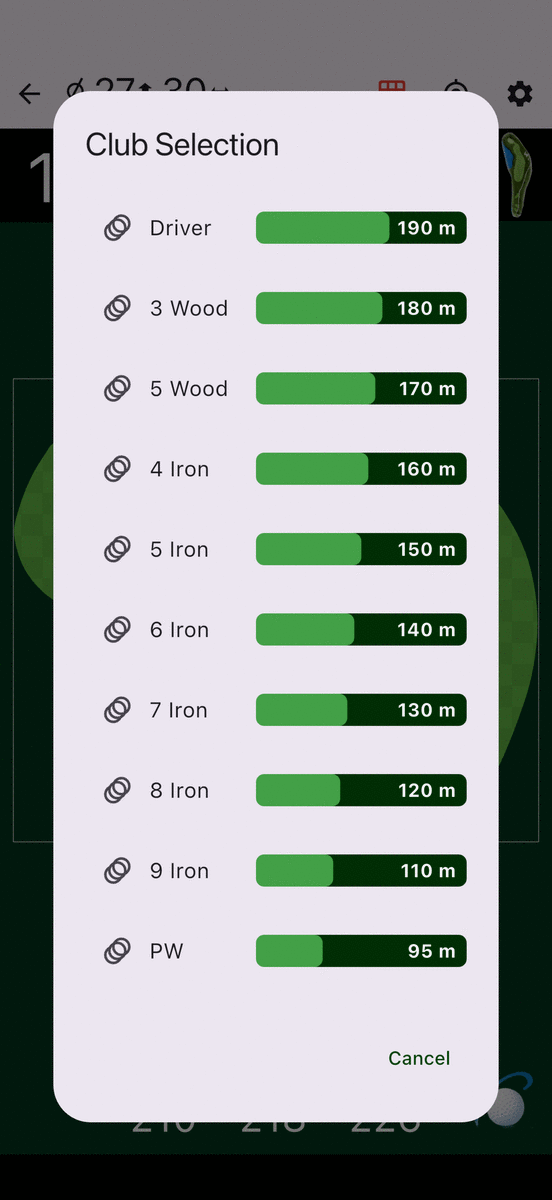
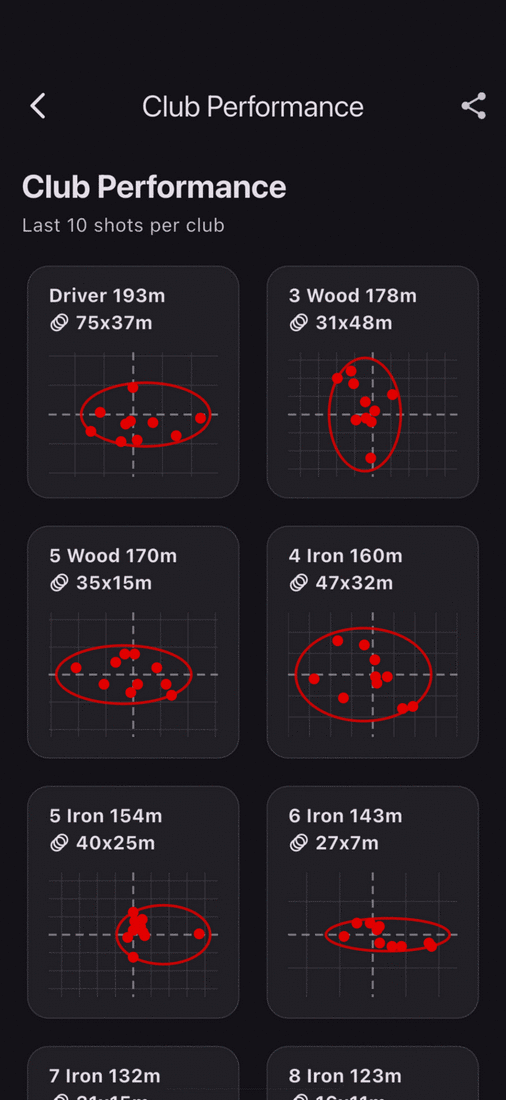
Open the club list and PinSheet shows the distances you actually hit — driver 190, 5 iron 150, pitching wedge 95 — not the numbers on the shaft. Choose one and it draws where your shots with it really finish, laid over the hole from where you’re standing.
That ellipse is measured, not modelled. Driver 75 m × 37 m isn’t a criticism, it’s a planning tool: if your spread covers the water down the right, you know that before you swing rather than afterwards. Take the 3 wood, watch the ellipse shrink, and play the hole you can actually play.
Switch GPS on and the numbers keep themselves current while you walk. No lasering through drizzle, no bracing against a cart.
Updated continuously as you close in on the green.
To the pin as cut today — not to the middle, and not to where it was last week.
Up or down between you and the green, so you can club for the real number.
With Always On, PinSheet tracks which hole you’re on and turns the page for you.
Mount a phone or tablet in landscape and PinSheet turns into a cart dashboard: the green large on the left, the full hole on the right. Swipe the green to change hole; drag on the overview to measure.
Clubs can also fence off no-drive areas: cross into one and the cart screen warns the driver to get back on the path.
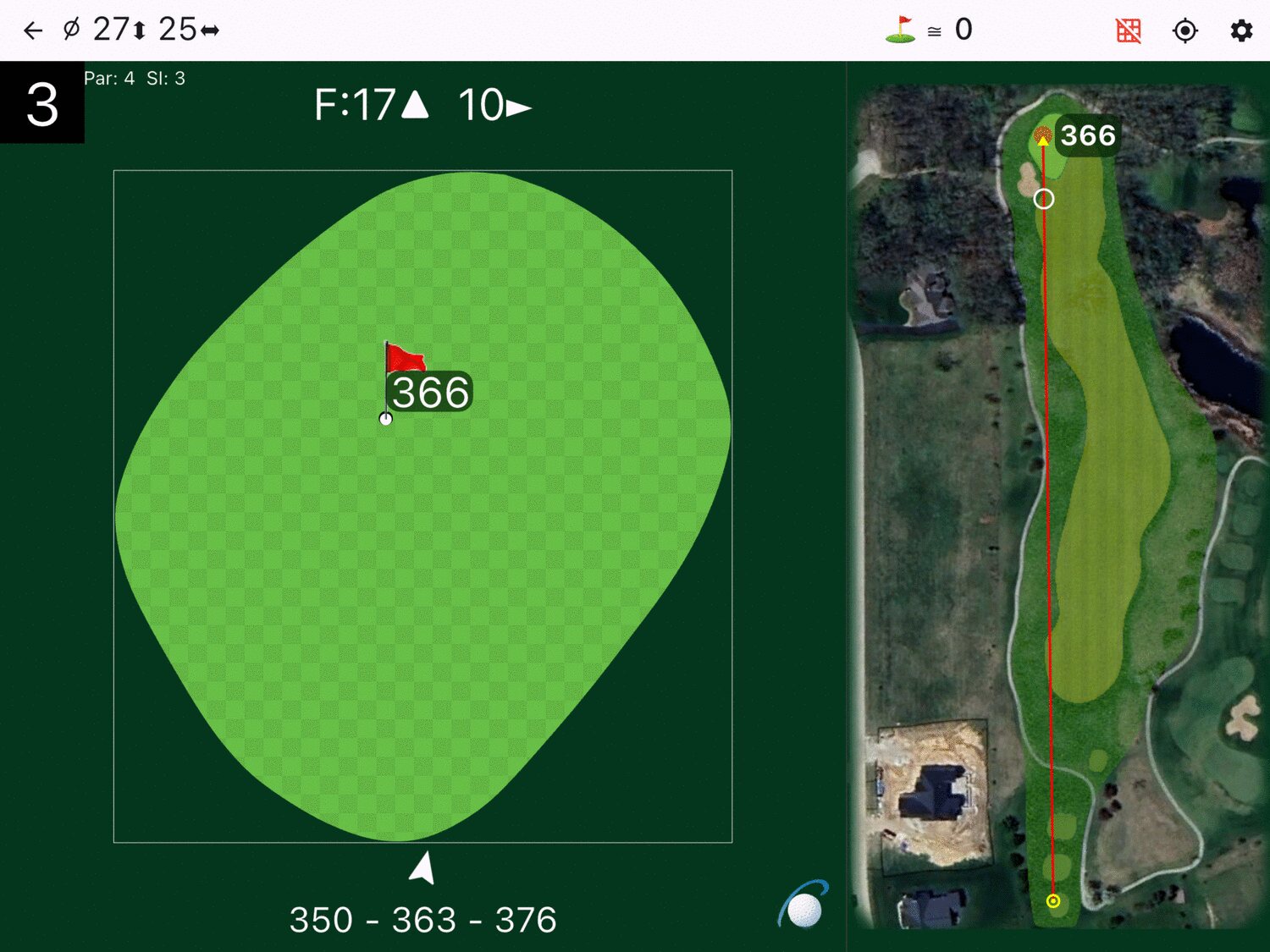
Hole 3 — green left, hole right, one glance.
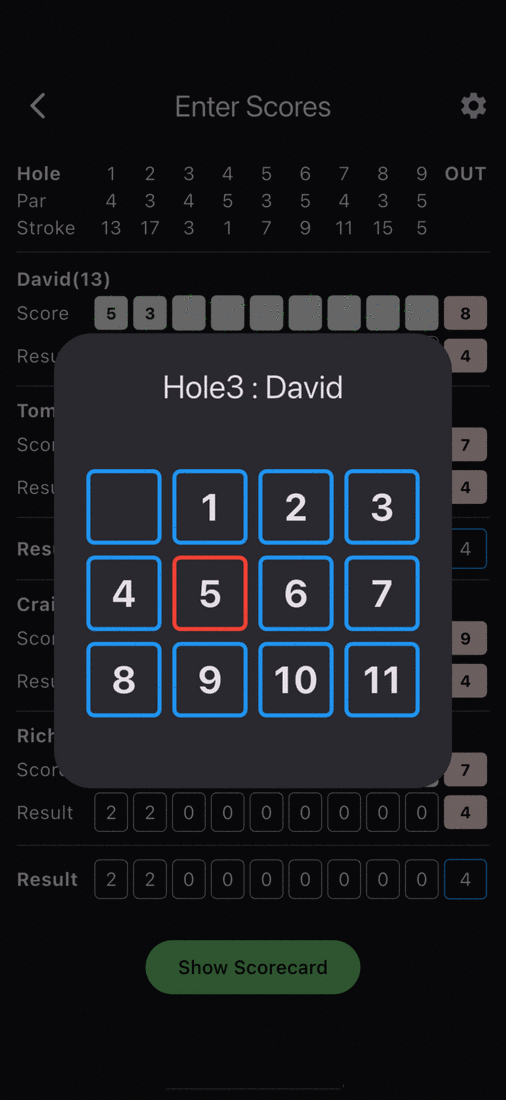
Type a name and PinSheet remembers the handicap from last time, so a fourball is set up on the first tee in about as long as it takes to agree the format.
Alliance setups come with assistants for the common patterns and par matching, so you’re not building the array by hand on the first tee.
A small NFC disc sits in the butt of each grip. Touch it before the shot and PinSheet knows exactly which club you’re hitting — no menu, no typing, and no arguing with yourself afterwards about whether that was the 7 or the 8.
That one tap is what makes everything else honest. Your club distances, your dispersion ellipses and the SR Caddie’s recommendations are all built from shots you actually logged, so they can only be as good as the logging is easy.
Want tags or a bag reader? Ask us what’s in stock.
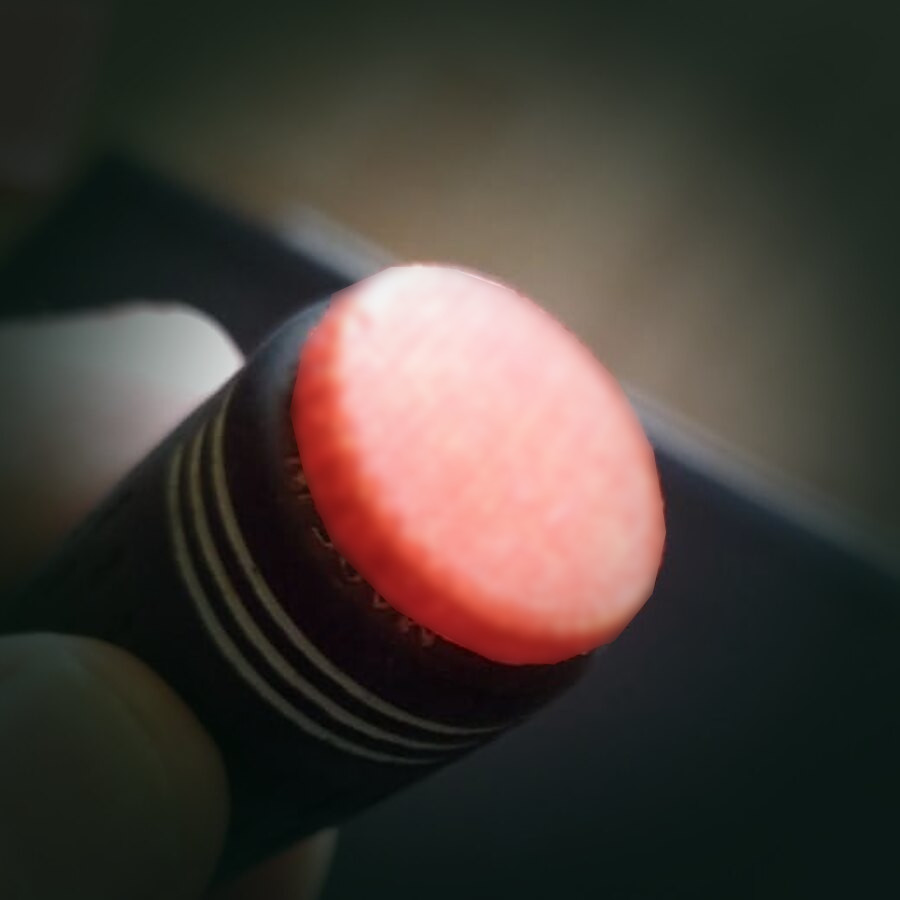
One disc per club. Tap, swing, done.
SR is Statistical Reality — we could have called it AI. Once it has seen enough of your shots, it stops guessing at the book number and suggests the club you actually hit that far.
Compare the round you just played against your all-time frequency — where you gained, where the same hole keeps costing you.
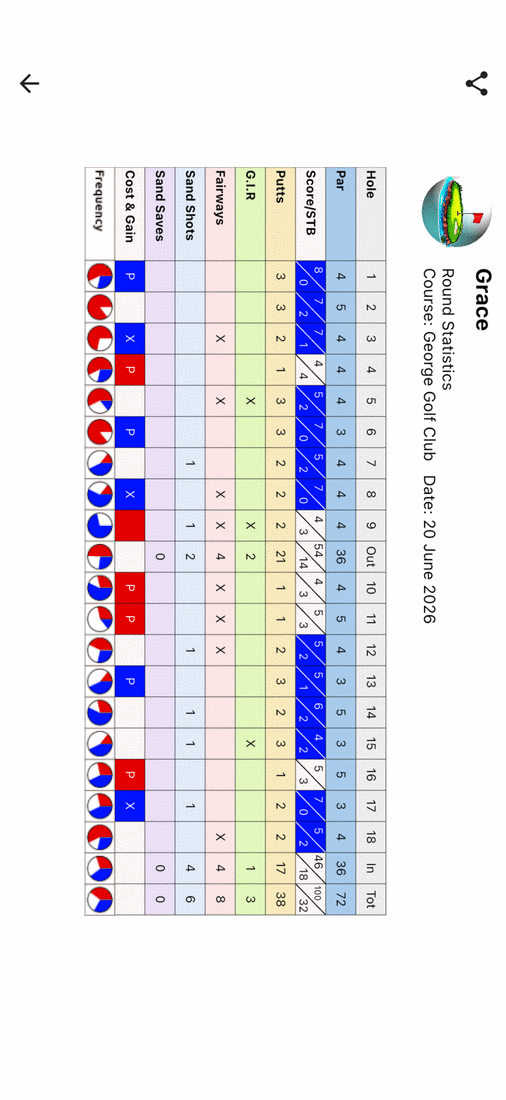
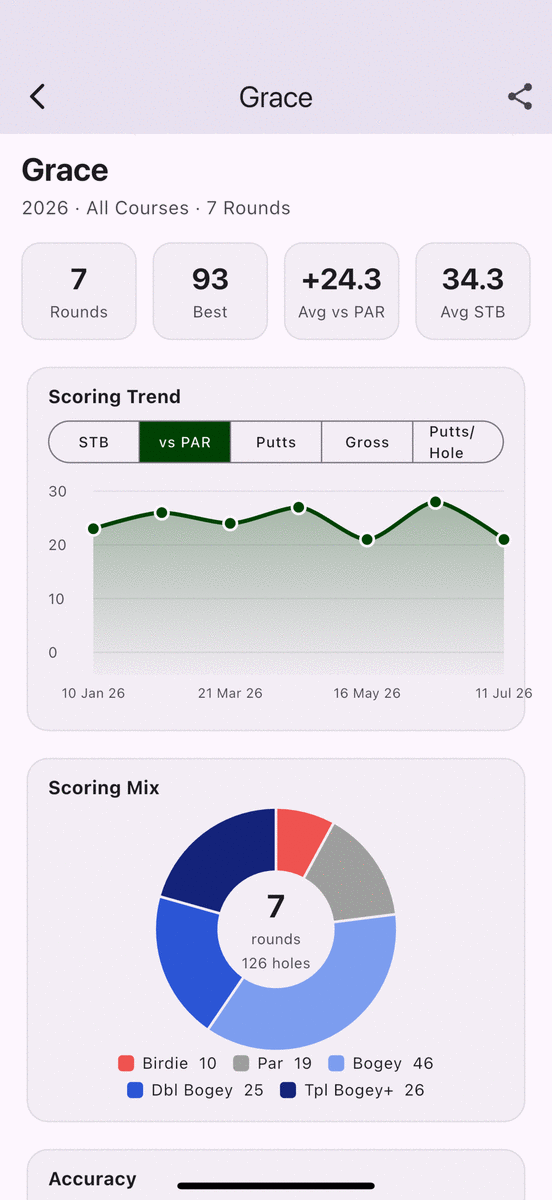
Every card you keep feeds a season view. Rounds played, your best, average against par, average Stableford — then the parts that actually change how you play.
Your scores plotted across the season, switchable between Stableford, against par, putts, gross and putts per hole.
Birdies through triple-bogeys as a share of every hole you’ve played — not a sample, the lot.
Filter by year, by a single course or across all of them, and share the summary straight out of the app when someone asks how it’s going.
Free on the App Store and Google Play. No account, no card.
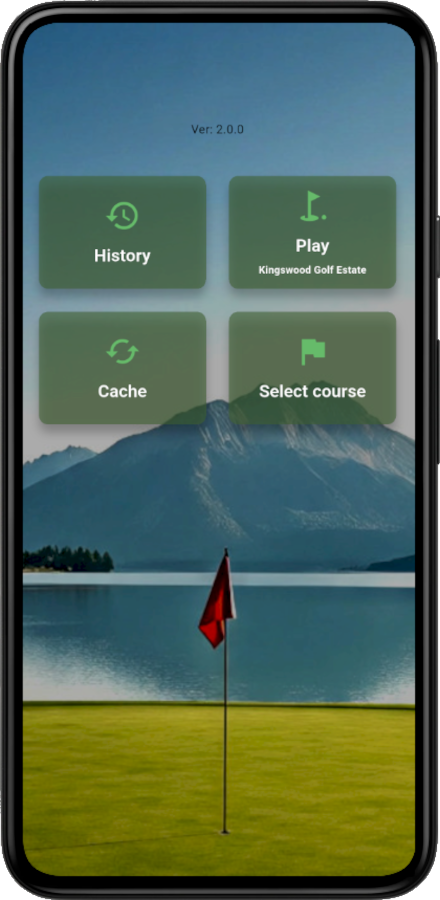
Tap Select course — your country is pre-selected, change it and pick any club we carry. PinSheet remembers it, so next time you just tap Play.
Left and right through eighteen. Everything else is a setting you’ll set once. History keeps your past rounds.
Go and read it.